
Affiliate Disclosure: Some contain affiliate links
You don't need to spend more than $100 in a single month on AI subscriptions if you are just starting new or you just need a few features out of a AI tool that you may use for maybe a few times to get your projects done. so here's what actually works when you need to generate images and videos without bleeding money.
There are just too many options at this point, and you don't need all of them.
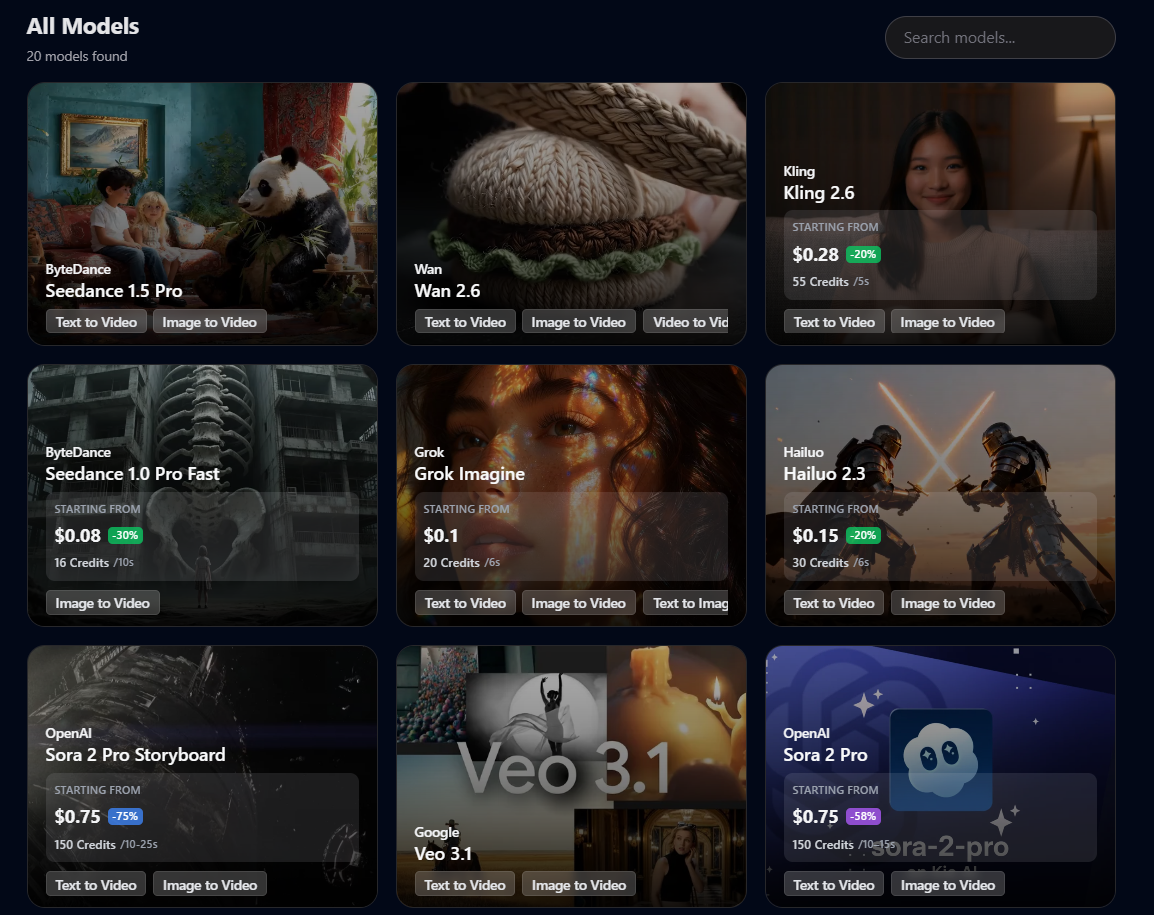
All of the below tools can also be access inside KEI (AI model marketplace), where there is no monthly subscription, and credits never expire, and you just use whenever its needed.
Static Image Generation
ChatGPT Plus (GPT Image 1.5): The Typography King
ChatGPT Plus finally solved the text problem. Earlier AI models turned every sign into gibberish. GPT Image 1.5 renders actual readable text—logos, street signs, product packaging, all accurate.
I pay $20/month for this. Not because I need ChatGPT (though I use it), but because GPT Image 1.5 is the only tool that can generate a branded social media post with perfect typography on the first try. The LM Arena score is 1264, which means it's beating everything else in blind tests.
The cost: $20/month (ChatGPT Plus subscription)
Google Gemini 3 Pro Image: The Speed Option
Google Gemini 3 Pro scores 1235 and generates faster than GPT Image, aka the Nano Banana and it's the best so far in the industry. It can generate visual accurately and not mess up text like spelling erros.
If you need cultural diversity in your visuals. different ethnicities, global contexts, international settings—Google's massive dataset makes this the better choice across the board.
The interface integrates into Google Workspace, so if you're already paying for that, the image generation is essentially free on top.
The cost: Free tier available, $20/month for Gemini Advanced, and you if you more control over what you spend only on image generation using API, I highly recommend using KEI to access the Nano Banana Pro API so you can generate images at $0.09/image without any subscription, you pay as you go and just buy credits that don't expire.
Midjourney v7: The Aesthetic Engine
Midjourney doesn't follow prompts as literally as GPT Image, but it produces more cinematic results. Every output looks like it came from a professional illustrator. For concept art and high-impact visuals that need minimal editing, this is worth the subscription.
I kept Midjourney at $10/month after canceling three other tools because it consistently delivers "ready to ship" visuals. The web interface finally exists, though I still use Discord for batch organization.
The cost: $10-120/month depending on usage tier
Flux 2 Max: The Open-Weight Alternative
Flux 2 Max from Black Forest Labs scores 1168 and runs locally if you have the hardware. This is the tool that convinced me I could eventually stop paying subscriptions entirely.
If you're technical enough to self-host or willing to pay for cloud GPU rental, Flux 2 gives you Midjourney-quality outputs with full customization through LoRA models.
The cost: Free (self-hosted) or $0.34-0.69/hour on cloud GPU
Adobe Firefly 3: The Legally Safe Option
Adobe Firefly is trained exclusively on licensed Adobe Stock content. That means commercial indemnification—critical if you're creating branded content for clients who could get sued over copyright.
I don't use this for personal projects. I use it when I'm doing work for corporations who need legal protection. The output quality scores lower (1115) than competitors, but you're paying for the legal safety, not the aesthetics.
The cost: $30-50/month (part of Creative Cloud)
Budget Image Tools for Specific Needs
Ideogram: Text-in-Image Specialist
Ideogram does one thing better than everything else: accurate text inside images. If you need a mockup with readable product labels or a poster with specific wording, this outperforms the generalists at a lower price.
Many people use this for pinterest pins to create up to 20 pins per day to grow their pinterest account.
The cost: Free tier (10-20 credits/day), $8/month for more
Recraft: Vector Graphics Only
Recraft exports vectors, which is essential for logo design and print media. Most AI image generators only output raster images. If you need scalable graphics for branding work, this feature alone justifies the subscription.
The cost: Free tier (30 credits/day), $12/month for unlimited
SeaArt.ai: The Daily Free Option
SeaArt gives you 150-300 "Stamina" points daily that reset every 24 hours. If you need occasional AI images without paying anything, this works. The catch is that advanced features (high-res upscaling, LoRA training) drain Stamina fast or require purchasing separate Credits.
The cost: Free daily allowance, $5.99/month for unlimited basic generation
Leonardo.ai: Motion Preset Library
Leonardo.ai offers 150 fast tokens daily and specializes in motion presets for image-to-video work. The free tier is generous enough for testing concepts before committing to paid renders.
The cost: Free tier (150 tokens/day), $10/month for more
Video Generation: The Expensive Tier
Sora 2: Cinematic Physics
Sora 2 (via ChatGPT Plus or Pro) leads in narrative storytelling. It understands physics—liquid dynamics, gymnastics, object permanence. The 60-second clips with synchronized audio cost $0.15 per second on the Pro plan.
I used this once for a client presentation. Generated a 10-second product demo for $1.50. It looked like a $5,000 agency production. Then I canceled the $200/month Pro subscription and went back to ChatGPT Plus.
The cost: $20/month (ChatGPT Plus, limited credits) or $200/month (ChatGPT Pro, more credits)
Runway Gen-4.5: Granular Control
Runway gives you the Multi-Motion Brush—you can direct specific parts of the frame like a cinematographer. VFX artists use this for localized animation control.
The credit system runs $12/month for 625 credits, which generates about 25 seconds of high-quality video. That's $0.12-0.15 per second.
The cost: $12/month (Standard plan, 625 credits)
Kling 2.6 Pro: Photorealistic Humans
Kling specializes in realistic human movement and bilingual audio output. If you're creating "talking head" content or international marketing videos, this costs half what Sora charges.
Without audio, it's $0.07 per second. With audio, it doubles to $0.14 per second.
The cost: $0.07-0.14 per second (pay-as-you-go credits)
Wan 2.6: Speed for Social Media
Wan 2.6 from Alibaba generates native 1080p clips in under 60 seconds. For social media managers cranking out high-volume content, this speed matters more than marginal quality improvements.
The cost: $0.05 per second
Pika 2.5: Quick Effects Testing
Pika is my drafting tool. I test prompts here before committing expensive credits to final renders on Sora or Runway. The special "Pika-effects" are fun but gimmicky—the real value is fast, cheap concept validation.
The cost: $0.08 per second
Luma Ray 3: 4K HDR Physics
Luma Dream Machine produces cinematic motion at 4K HDR. For high-end productions where visual fidelity justifies the cost, this competes directly with Sora.
The cost: $0.07 per second
My Video Generation Workflow (How I Cut Costs 80%)
Video generation can hit $30 per minute if you're not careful. I use a five-phase workflow that minimizes wasted credits:
Phase 1: Low-Res Drafting - Test the prompt on Pika 2.5 or Leonardo's free tier. Resolution doesn't matter here. I'm validating that the AI understands the motion I want.
Phase 2: High-Quality Anchor Image - Generate the first frame using GPT Image 1.5 or Midjourney. This eliminates hallucinations. Text-to-video guesses; image-to-video follows a blueprint.
Phase 3: Silent Generation - Audio doubles the cost. Kling without audio is $0.07/second. With audio it's $0.14/second. I generate silent clips first, add audio only to the final selected version.
Phase 4: Recursive Extension - Instead of one expensive 15-second clip, I generate three 5-second clips and chain them. Use the last frame of clip one as the first frame of clip two. This maintains consistency while keeping costs down.
Phase 5: Selective Upscaling - Only upscale the final "hero shot" to 4K. I use WaveSpeed Video Upscaler which removes AI flicker with temporal consistency algorithms.
This workflow lets me produce a 10-video social media campaign for $89 instead of $500+.
When to Just Hire Someone on Fiverr
Learning AI tools takes time. Prompt engineering, seed management, upscaling workflows—expect a few weeks to get competent.
A 10-second commercial clip on Fiverr costs $100. For the freelancer, the actual cost is $1-4 in API credits plus 30 minutes of work. They pocket $60-75 in profit, and the best part is they are dedicated to have to pay for all these tools to offer their services, and you don't have to.
For you, that $100 is cheaper than buying multiple subscriptions and spending five hours trying to replicate the same result with inferior prompting skills.
The cost: $50-150 per gig on Fiverr, $150-700 for small fixed projects on Upwork
For ongoing work, hire an "AI Character Specialist" on Upwork for $2,000/month to maintain consistent facial features and wardrobes across months of content. This beats the time cost of doing it yourself.